AI Poster Text Editor • Powered by GPT Image 2

Edit Text in Poster with AI

Fix the date, the price or the headline on any poster — GPT Image 2 repaints the wording in place while the display typeface, color fills and paper texture stay exactly as designed. No design file, no layers, no re-export.

Upload an image to edit its text

Click to browse or drag & drop — the crop tool opens automatically

JPGPNGWEBPUp to 24MB
✒️
Font-preserving
Same typeface & weight
🧲
Context intact
Background untouched
⚡
30–90 seconds
GPT Image 2 engine
🔓
Commercial use
Download & own it
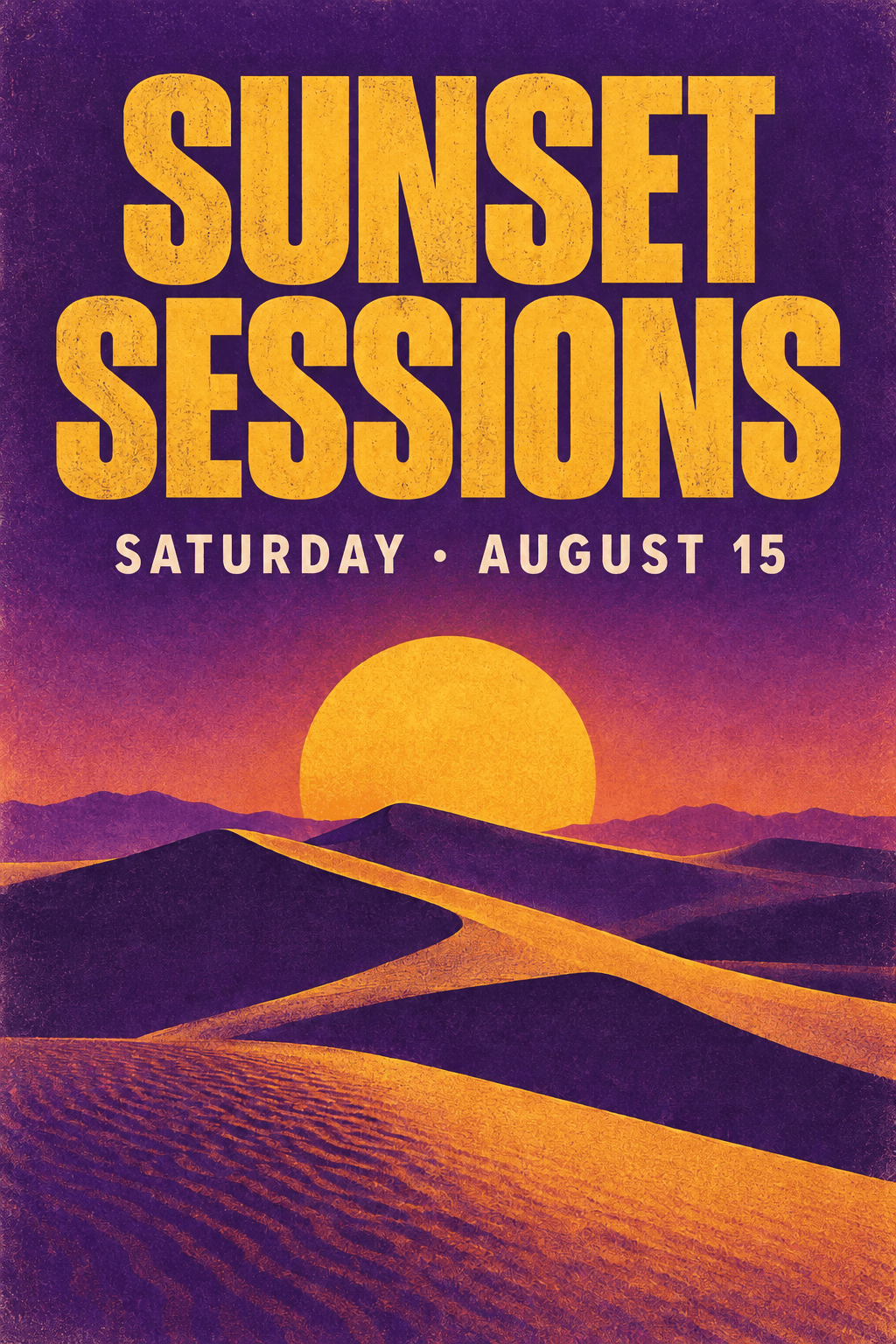
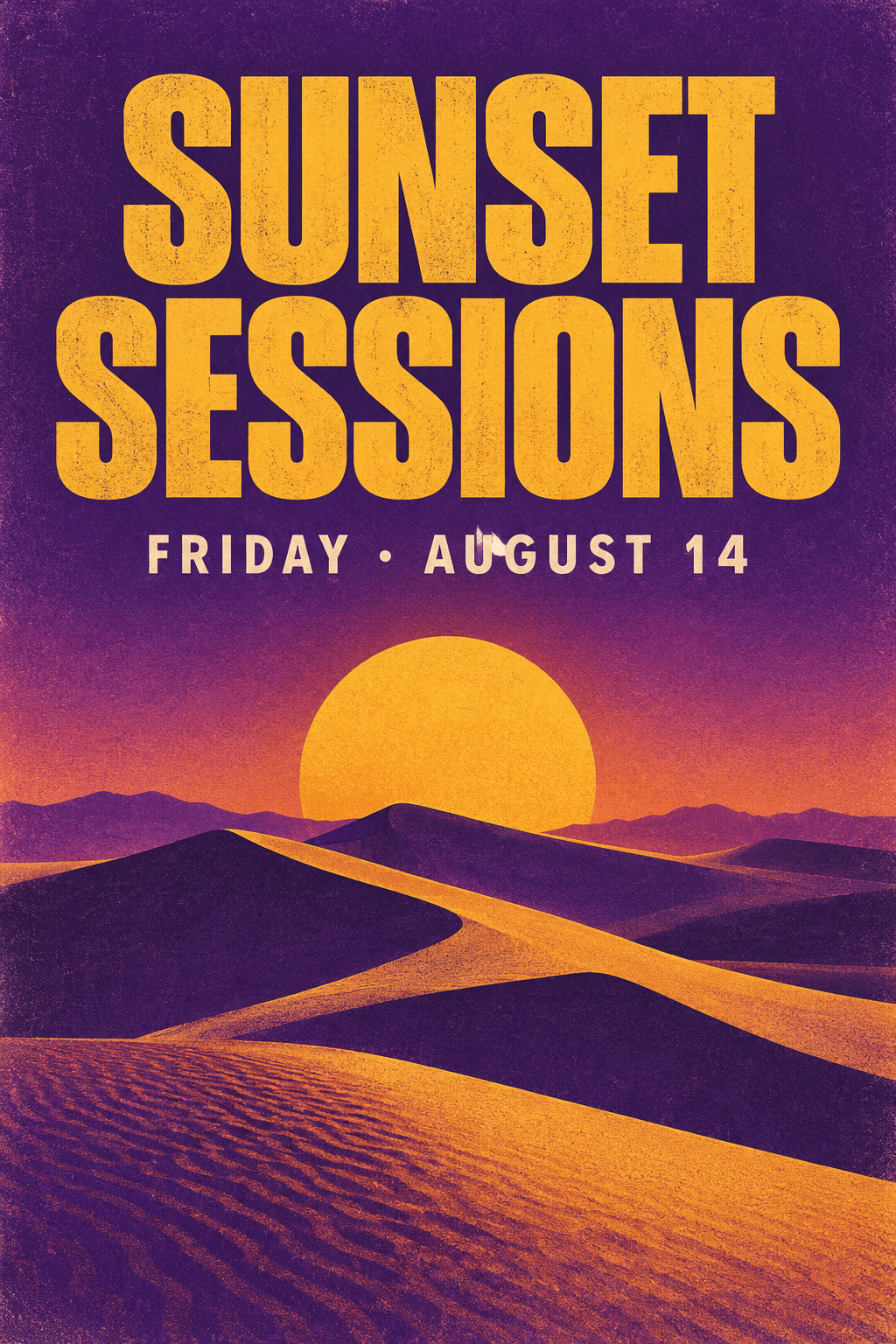
To edit text in poster artwork, upload the design, type the wording that needs to change, type the replacement, and generate. The AI poster text editor repaints the line in place — matching the display typeface, color and texture — so you can edit text in poster files without ever reopening the original design file.

Edit text in poster — before & after example

Original image (faded)Image one
Original with background (faded)Image two

Drag the slider. The date line changes from 'FRIDAY • AUGUST 14' to 'SATURDAY • AUGUST 15' with the same display typeface and print texture.

Edit text in poster files for every kind of campaign

One AI poster text editor covers events, retail, touring and print.

🎪

Event date & venue fixes

The headline stays, the details change. When Friday becomes Saturday or the venue moves, edit text in poster promos in seconds instead of rebuilding the layout.

🏪

Retail sale signage

Swap 30% for 50% or refresh the seasonal hook. Edit text in poster signage whenever the offer changes and keep last campaign's design alive.

🎭

Tour & gig posters

One artwork, twenty cities. Edit text in poster runs to change the city and date per stop while the band branding stays identical.

🖨️

Print-shop proof fixes

Clients spot typos after sign-off. Edit text in poster proofs to correct the spelling without re-exporting every layer of the design.

🎓

School & community notices

Reuse the term's template again and again. Edit text in poster notices for fairs, fundraisers and tryouts — no design skills required.

📱

Digital signage & social

The wall display needs today's special. Edit text in poster graphics for screens and feeds without waiting on the design team.

What makes this AI poster text editor different

Poster typography is built to be read from across the street — huge letterforms, bold color, layered texture. The editor is tuned to repaint exactly that.

Display-type matching: Condensed sans, brush scripts and slab serifs — the replacement inherits the poster's typeface, weight and letter spacing.
Texture preserved: Paper grain, gradient fills and halftone dots around the words are rebuilt, so when you edit text in poster artwork the result stays print-ready.
Composition intact: Logos, illustration and shapes behind the headline stay untouched — only the wording changes on the frame.
Multi-line edits: Change the headline, date strip and price row in a single pass using the instructions field.
Crop before you edit: Frame just the corner you need for faster, tighter generations on very large poster files.
One credit per edit: New accounts start with free credits — edit text in poster files without a subscription.
How to edit text in poster artwork in 3 steps Background

How to edit text in poster artwork in 3 steps

01

Upload the poster

Drop in the JPG, PNG or WEBP of your poster. If the file is huge, crop to the area holding the wording you want changed.

02

Type the wording change

Enter the original line exactly as printed, then the replacement. Add instructions if several blocks need updating at once.

03

Generate & download

The AI poster text editor repaints the wording in place. Preview it, download at full quality, or run another pass.

Why editing poster text is different from editing plain photos

Poster typography is built to stop foot traffic: oversized condensed sans, custom brush scripts, layered color fills, words that wrap around illustration. When you edit text in poster artwork the hard part is not reading the letterforms — they are huge — it is reproducing the styling that makes the headline feel designed. A blocky rectangle patch that works on a flat screenshot is instantly visible on a poster, where every element was placed by hand.

This editor treats a poster as a composed scene rather than a flat canvas. The model studies the typeface's weight and spacing, the color fill inside each letter, the shadow beneath the baseline and the texture of the stock, then repaints your replacement wording with those same properties. That is why you can edit text in poster files and still hand the result to a print shop without anyone spotting the seam.

The payoff is speed on repeat work. Event promoters, print shops and retail marketers rarely make one poster — they build one layout and produce dozens of dated, localized or re-priced variants of it. Being able to edit text in poster artwork directly turns a thirty-minute re-export session in a layout application into a one-minute wording swap per version, which adds up fast across a campaign.

Getting print-clean results when you edit poster text

Start with the biggest file you have. A poster destined for A2 printing carries thousands of pixels per letter, and sharp input letterforms give the model a precise target to match. If you only have a photo of the printed piece, shoot it square-on in even light first — keystone distortion and glare are the two capture flaws that most often degrade a poster text edit.

Be explicit about boundaries. An instruction like 'change the headline to SUMMER FESTIVAL and the date line to July 12; leave the logo, price row and footer unchanged' will beat a bare find-and-replace every time, because the model knows exactly which lines belong to the edit. Teams that edit text in poster artwork daily lean on this scoping habit to keep dozens of versions perfectly consistent.

Watch line length as you change wording. Posters are tightly kerned, and a replacement headline twice as long as the original may crowd the illustration beneath it — if the new line needs room, add an instruction such as 'scale the headline down slightly to fit'. Before sending anything to press, zoom the result to 100 percent: that is where a soft edge shows up if you need to edit text in poster lettering one more time.

Edit Text in Poster — FAQ

Upload the poster, type the wording exactly as it appears, type the replacement, and generate. The AI poster text editor repaints the line in place while the typeface, color fill and surrounding graphics stay exactly as they were — so you can edit text in poster files even when the original layered design file is long gone. Most swaps finish in under two minutes.
Yes — that is exactly what this tool is built for. When the source PSD or AI file is lost, or a client handed over only a flattened JPG, you can still edit text in poster artwork directly on the exported image. The model rebuilds the area behind the words from the surrounding design instead of relying on editable layers.
In most cases, yes. Posters use large, high-contrast display type, which is the easiest lettering for the model to study and reproduce — weight, spacing, color fills, outlines and shadow effects included. If the poster relies on an unusual script or hand-lettered style, add a hint such as 'keep the brush style' when you edit text in poster headlines.
Yes, and it is the fastest workflow for tours and multi-date campaigns. Keep one master design, then edit text in poster variants to change the city, date or venue for each stop. Because every version starts from the same source image, the layout, colors and branding remain identical across the entire run — something manual re-layouts rarely achieve.
It can, with a little care. Photograph the printed piece square-on under even lighting so the lettering is not skewed or washed out, then upload the shot. The editor will edit text in poster photos while keeping the paper texture and lighting believable, though a clean digital export always gives sharper letterforms than a camera capture.
Yes. Use the additional instructions field to list every change in a single pass — headline, date strip, price line and footer all at once. Editing the design as one scene keeps the spacing and hierarchy consistent between the blocks, which matters when you edit text in poster layouts that were originally kerned by hand.
Editing posters you own or are licensed to modify — your event promos, retail signage, school notices — is completely fine. Do not edit text in poster artwork to counterfeit tickets, credentials or official notices, or to misrepresent an event that is not really happening. Only edit artwork you own or are licensed to modify.
JPG, PNG and WEBP files up to 24MB are supported, which covers virtually every exported poster. For large print sizes, upload the highest-resolution export you have so the model can redraw each letterform cleanly, then download the result at full quality — ready to send straight to your printer or signage screen.

More AI Photo Tools

Explore our complete AI photo toolkit — every tool works on the same upload, so you can chain multiple edits in a single session.

Edit Text in Poster Now

Fix dates, prices and headlines — typography and texture preserved
