AI Date Editor • Powered by GPT Image 2

Change the Date in Image with AI

The venue held, the lineup held, the date did not. Upload the finished design, type the old date and the new one, and the AI re-renders it in the original typography — badge, banner, layout and everything else preserved.

Upload an image to edit its text

Click to browse or drag & drop — the crop tool opens automatically

JPGPNGWEBPUp to 24MB
✒️
Font-preserving
Same typeface & weight
🧲
Context intact
Background untouched
⚡
30–90 seconds
GPT Image 2 engine
🔓
Commercial use
Download & own it
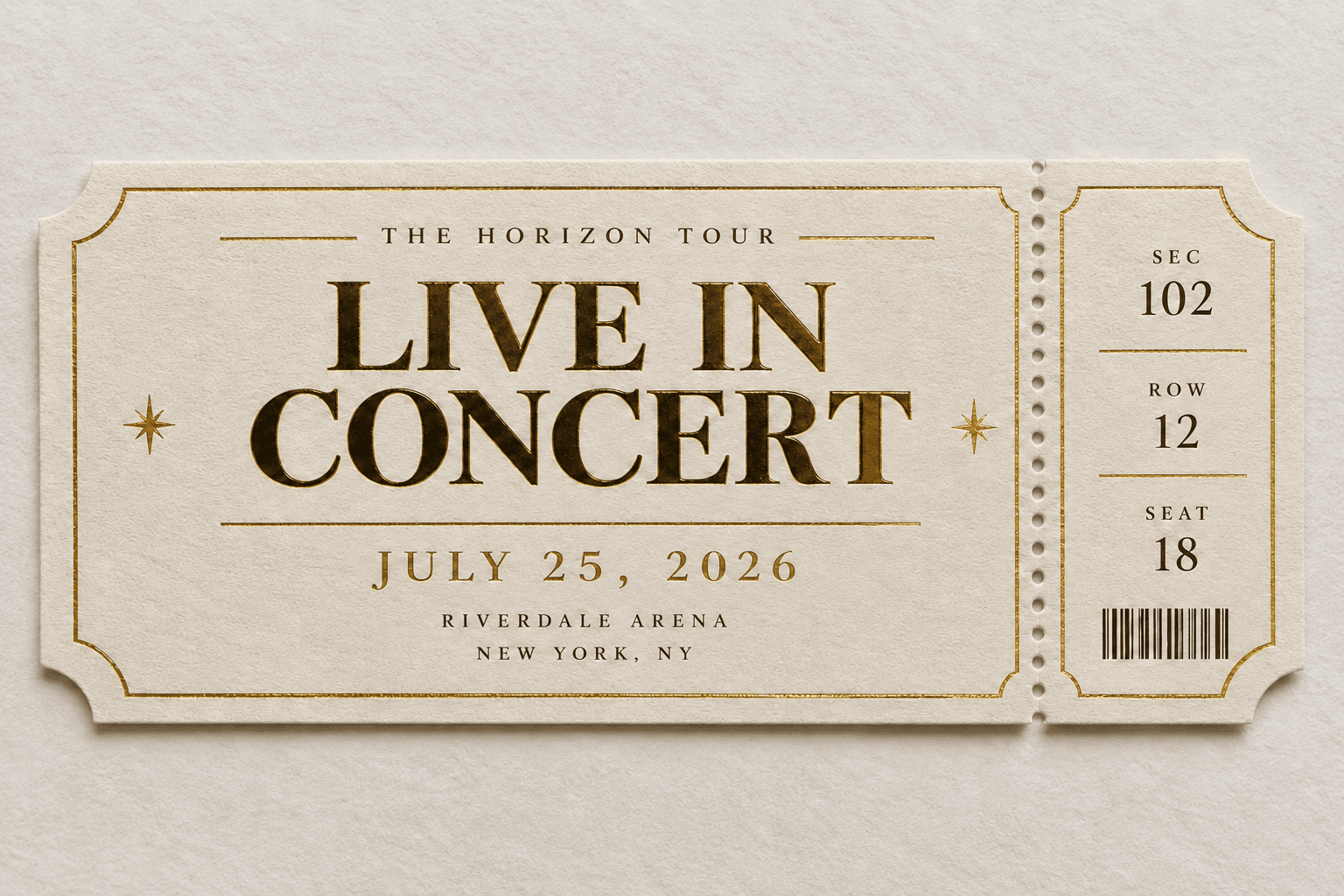
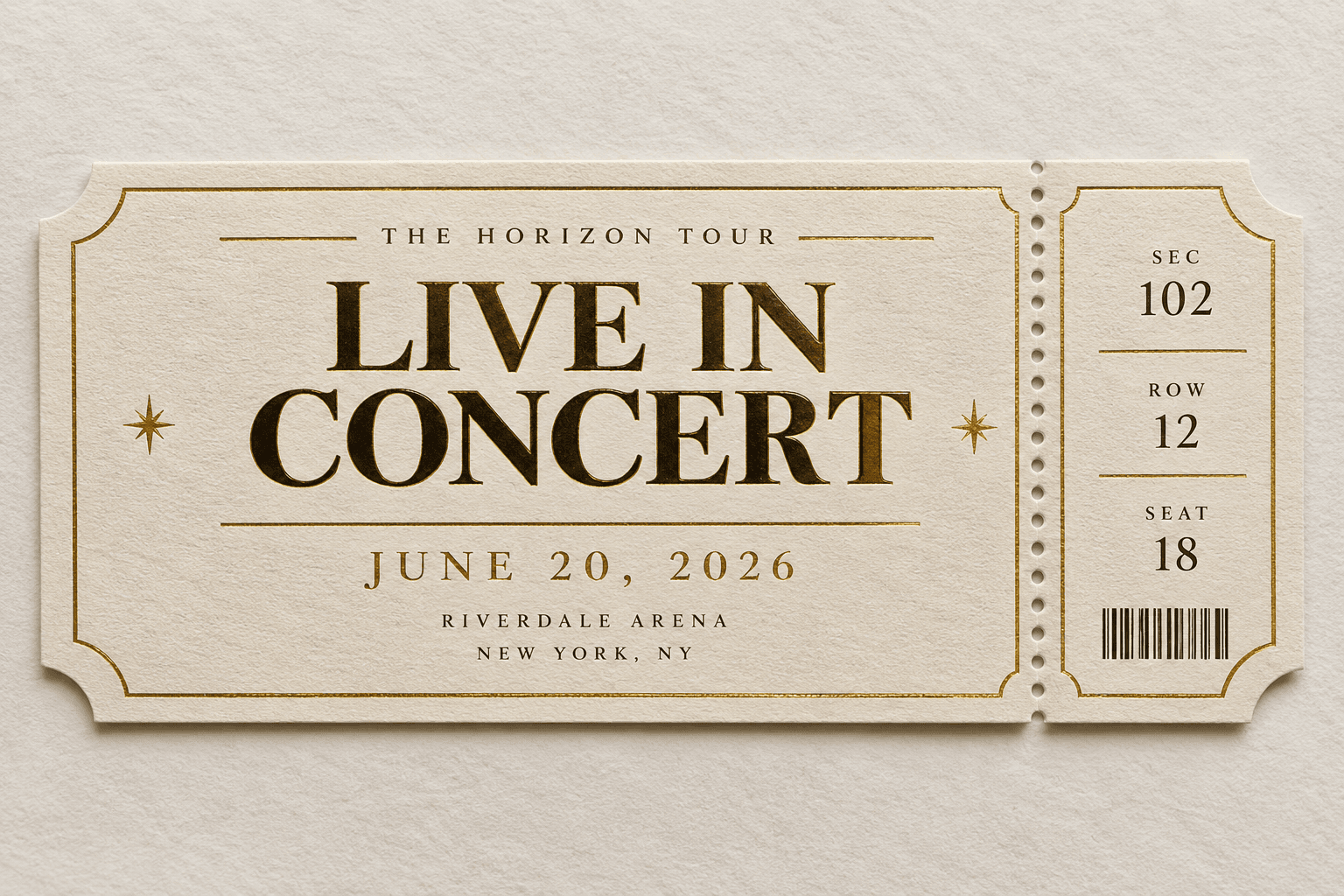
To change date in image files, upload the finished design, type the date as currently printed and the new date, and generate. The AI re-renders the new date in the original typography — script, condensed or badge lettering — while the layout, artwork and every other detail stay untouched. It works on flat exports with no source file, making rescheduled events a one-minute fix instead of a redesign.

Change date in image — before & after example

Original image (faded)Image one
Original with background (faded)Image two

Drag the slider. 'JUNE 20, 2026' becomes 'JULY 25, 2026' in the original ticket typography.

Change date in image artwork whenever plans move

Reschedules, extensions and corrections — without reopening the original design.

📅

Postponed events

The venue double-booked. Change date in image posters and announce the new night with artwork fans already recognize.

🎟️

On-sale & ticket dates

The drop moved to avoid a clash. Change date in image promos so the countdown matches the real release.

💍

Weddings & invitations

Printing invites before the venue confirms is a tradition. Change date in image stationery without redesigning the suite.

🛍️

Sales & coupons

The offer is working — extend it. Change date in image vouchers and banners while the campaign keeps its look.

🏫

Community & school notices

Assemblies move, fairs shift, deadlines slip. Change date in image flyers already printed for the backpack circuit.

🔁

Recurring programs

Same webinar, new month. Change date in image evergreen assets and reuse the design all year.

Why this date editor handles real reschedules

A date is rarely just text — it is set inside badges, curves and layouts that punish careless edits. This editor is built for those cases.

Typography preserved: Script invitations, condensed gig posters, badge stamps — the new date inherits the original lettering style.
Badge & curve aware: Dates printed on circles, ribbons and angled strips are re-rendered along the same path, not flattened.
Whole-detail updates: Weekday, doors time and date range change together in one pass so no detail contradicts another.
No source file needed: Work from any flat export — ideal when the template, fonts and designer are all long gone.
Print-resolution output: Download at full source quality, ready for reprint, social re-posts and email headers alike.
One credit per change: Free credits to start, one credit per edit, automatic refunds for failed runs — rescheduling costs minutes, not budgets.
How to change date in image files Background

How to change date in image files

01

Upload the design

Add the poster, flyer or invitation as a JPG, PNG or WEBP. Crop to the date region if the artwork is dense.

02

Type the new date

Enter the date exactly as printed, then the replacement in your preferred format. List related changes — weekday, time — in the notes.

03

Generate & republish

The AI redraws the date in the original style. Download and push the updated artwork to print, socials and email.

Why dates are the first thing to break in a design

Every event design is born with an expiration date printed on its face, and the moment plans shift, that expiration becomes an error. Traditionally the fix meant reopening the source file — assuming it still exists, assuming the fonts still install, assuming whoever built it documented the badge curves. When you change date in image artwork with AI instead, none of those assumptions are needed; the finished picture is the source of truth.

Dates also travel in packs. Move a festival from one Saturday to another and the weekday label, the doors-open time and sometimes the year all need to move with it. Editing these as one coherent pass — rather than four separate patch jobs — keeps the announcement internally consistent, which matters more than any single pixel. A poster whose date says June 20 but whose badge still says Friday is worse than either mistake alone.

There is a branding argument too. Recognizable artwork compounds: audiences who saw the first poster recognize the second, and that recognition is free media. When organizers change date in image files rather than starting a fresh design, the rescheduled announcement inherits every impression the original already earned — the campaign continues instead of restarting.

Getting a date edit nobody can spot

Transcribe the current date with obsessive accuracy before you start — every dot, slash and ordinal. The model anchors on the exact string you provide, and a paraphrased input is the most common reason an edit lands on the wrong text block. If the date appears twice (headline and footer), say which one to change.

Describe the lettering's context when it is unusual. 'The date curves along the top of the round badge' or 'the date is arched over white script lettering' tells the model what geometry to respect, and effects like foil, embossing or letterpress shading deserve a mention so the new digits inherit them. To change date in image designs with heavy styling, the style notes matter as much as the digits.

Proof the surrounding details at full zoom when the render returns: weekday, month abbreviation, any 'from–to' range and the year. Then step back and view the piece at arm's length to confirm the badge rhythm still holds. If a curve drifted or an effect thinned, one small follow-up pass fixes it — a far better loop than the reprint-and-pray alternative.

Change Date in Image — FAQ

Upload the poster, flyer or invitation, type the date exactly as currently printed, type the new date, and generate. The AI erases the old lettering and re-renders the new date in the same typography, color and position. You can change date in image formats including JPG, PNG and WEBP, and most updates finish in under two minutes.
Yes. Circular badges, ribbon banners, stamped overlays and angled date strips are all supported. The model re-renders the digits along the same curve or angle, keeping the badge shape, border and fill intact. When you change date in image artwork with rotated or arched text, a short note about the angle helps the result stay true.
That is the core of the tool. Whether the date is set in an elegant script for a wedding invitation or heavy condensed type on a gig poster, the replacement inherits the same typeface, weight, color and spacing. Nothing signals a hasty edit faster than a default font slapped over a designed layout.
Absolutely, and you should — a date change usually drags other details with it. List every change in the instructions field: new date, corrected weekday, adjusted doors-open time, extended sale window. One pass that changes date in image text completely avoids mismatched details like a poster reading Friday over a Saturday date.
Yes — the tool edits the flat image, so layered source files, licensed fonts and templates are unnecessary. This is the most common reason people change date in image artwork: the original assets vanished with an agency, a departed colleague or a five-year-old laptop, but the design is still too good to discard.
Yes, for promotions you own. Push an expiry from Sunday to midnight Friday, update a seasonal offer to the next quarter, or correct a typo'd year on vouchers you issued. The change date in image workflow applies to any marketing material where you control the terms behind the date.
No. This editor is for event materials and marketing designs — posters, flyers, invitations, coupons. We do not support altering dates on receipts, invoices, identity documents, tickets intended as proof, or any record where the date carries legal or financial weight. Those requests are refused.
Yes. Numeric formats like 03/14/26 and 14.03.2026, written forms like March 14, 2026, and weekday-plus-time combinations all work. Type the new date exactly as it should print, including any ordinals, and the editor will change date in image copy character for character in that format.

More AI Photo Tools

Explore our complete AI photo toolkit — every tool works on the same upload, so you can chain multiple edits in a single session.

Change the Date in Your Image Now

Rescheduled, not redesigned — original typography and artwork preserved
