AI Meme Text Editor • Powered by GPT Image 2

Edit Text in Memes with AI

Rewrite the caption on any meme — classic template or your own photo — by typing the old line and the new punchline. The picture stays untouched, and the lettering keeps the classic all-caps, black-outline look.

Upload an image to edit its text

Click to browse or drag & drop — the crop tool opens automatically

JPGPNGWEBPUp to 24MB
✒️
Font-preserving
Same typeface & weight
🧲
Context intact
Background untouched
⚡
30–90 seconds
GPT Image 2 engine
🔓
Commercial use
Download & own it
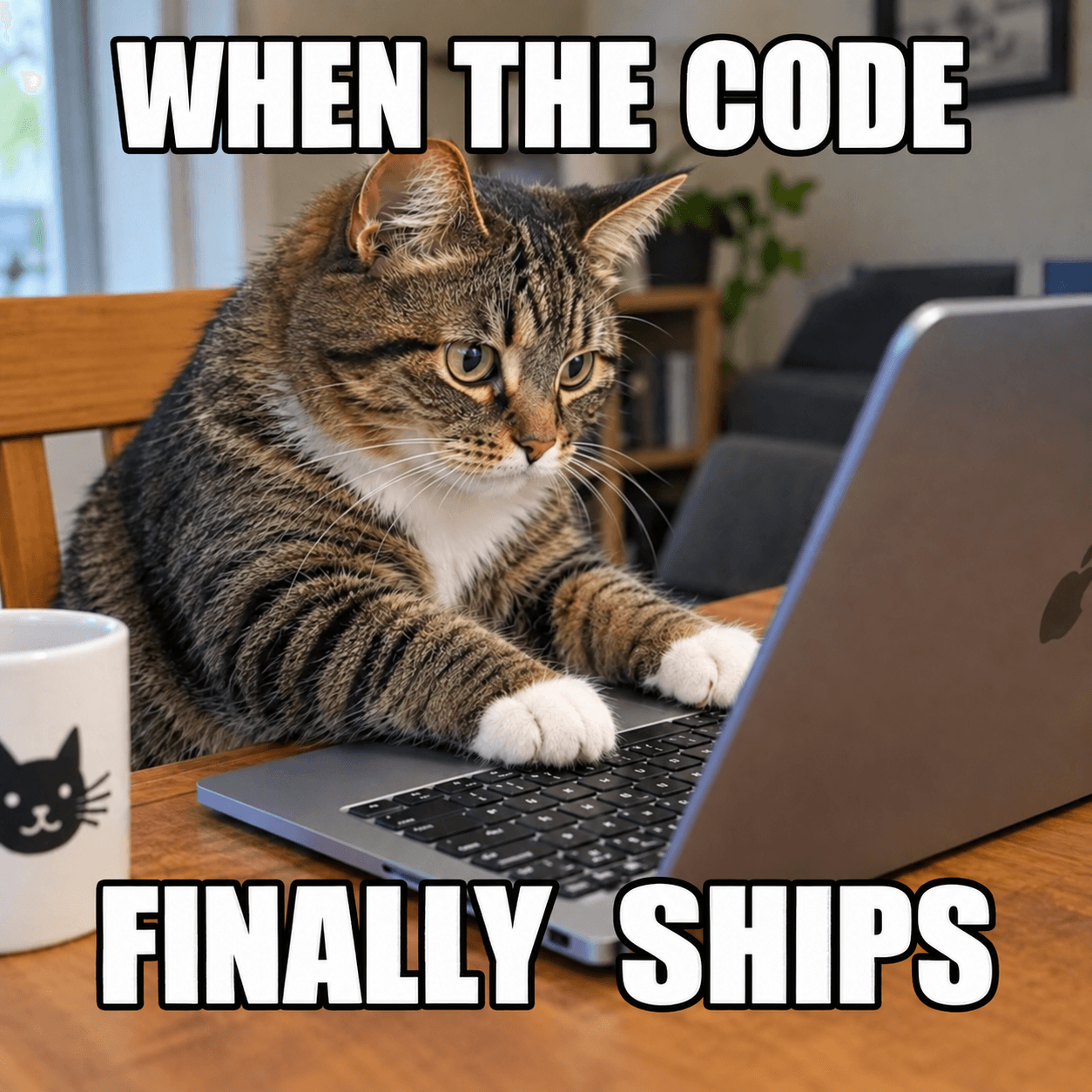
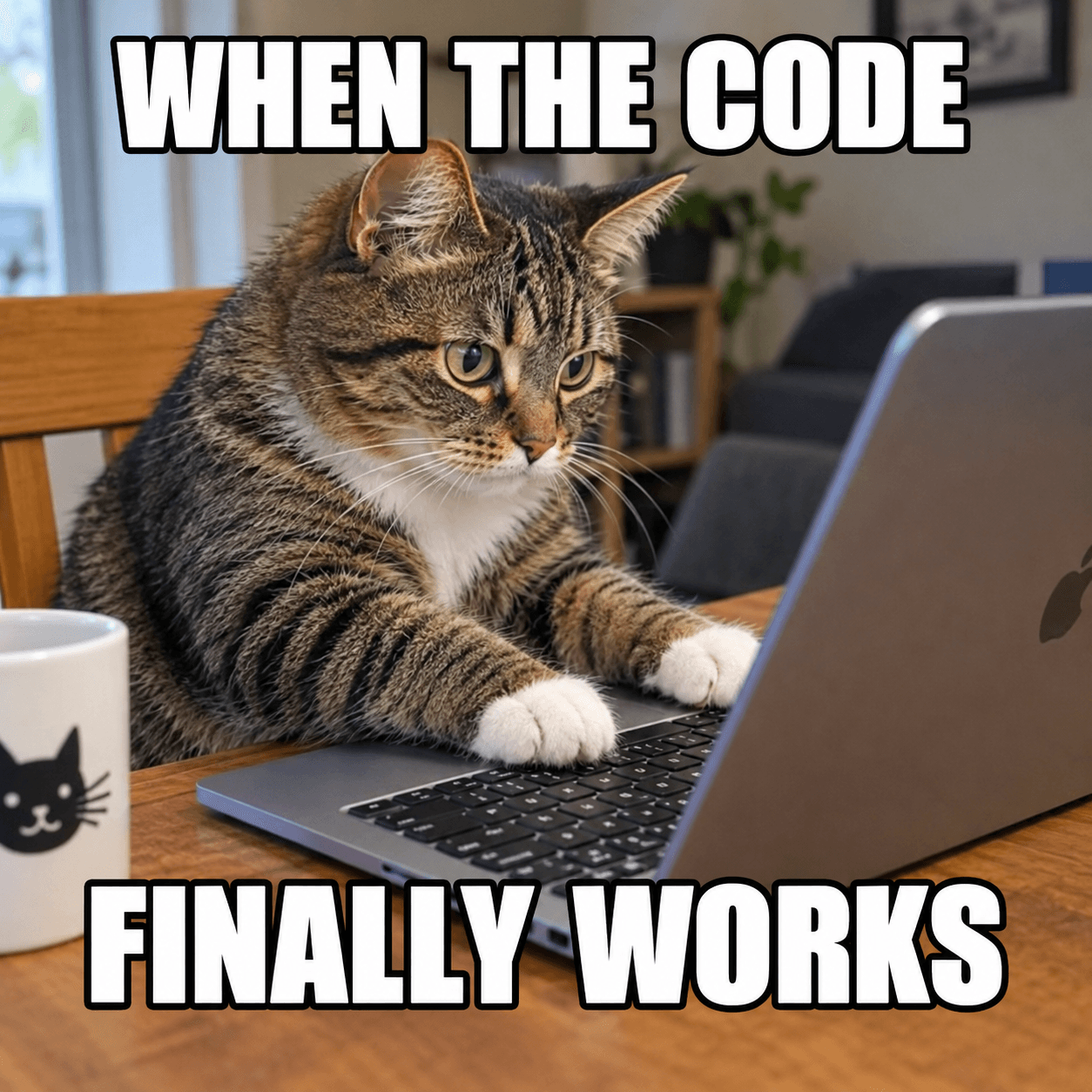
To edit text in meme images, upload the picture, type the existing caption and its replacement, and generate. The AI re-renders the words in the same style — all-caps lettering, outlines, placement and color — while the image below stays untouched. It works on classic templates, your own photos and memes with words baked into the scene, no meme-generator template list required.

Edit text in meme — before & after example

Original image (faded)Image one
Original with background (faded)Image two

Drag the slider. The bottom caption changes from 'FINALLY WORKS' to 'FINALLY SHIPS' in the same white outlined lettering.

Edit text in meme images for every kind of joke

Remix templates, localize punchlines and caption your own photos.

🐸

Template remixes

The format is perfect but your situation is not. Edit text in meme templates to aim a proven punchline structure at something new.

📸

Your own photos

That picture of your cat is a meme waiting to happen. Edit text in meme style over personal shots — captions land in classic format.

💼

Brand & team humor

Companies meme now, carefully. Edit text in meme drafts for internal channels or social accounts without a designer in the loop.

🎓

Classroom engagement

Teachers know memes stick. Edit text in meme images to wrap this week's vocab or concept in a format students already speak.

🌍

Meme localization

A joke that kills in one language may need a full rewrite. Edit text in meme captions market by market while the image stays constant.

💬

Group-chat inside jokes

The group chat runs on callbacks. Edit text in meme variants to immortalize yesterday's chaos in the canonical format.

What makes this meme text editor different

Most meme tools stamp new labels over stock templates. This one edits the actual image — wherever the words are, in whatever style they already wear.

Style-true captions: Impact, outline, glow, lowercase irony — the replacement inherits the caption style already in the image.
Image untouched: Faces, backgrounds and compression artifacts stay exactly as they were; only the words are re-rendered.
Beyond templates: Edit text in meme images where words are baked into signs, shirts and screens inside the picture itself.
Top and bottom control: Swap one caption or both, and specify placement when the format is unusual.
Any language: Localize punchlines for any market, including right-to-left scripts with a placement note.
One credit per edit: Free credits to start, and each remix costs a single credit — perfect for iterating on a punchline.
How to edit text in meme images Background

How to edit text in meme images

01

Upload the meme

Drop in the template or photo — PNG, JPG or WEBP. Screenshots of existing memes work just as well as saved files.

02

Type the new punchline

Enter the caption being replaced and the new one. Note which caption (top or bottom) and any style to preserve.

03

Generate & post

The AI re-renders the caption in matching style. Download and drop it straight into the group chat or your content queue.

Memes are a typography problem in disguise

A template meme is really two text containers floating over a frozen photograph, governed by rules nobody wrote down but everybody enforces: heavy sans-serif, all caps, white fill, black outline, top and bottom lanes. Break those rules and the joke reads as foreign before anyone processes the words. That is why generic editors fail at this — they treat the caption as decoration instead of dialect. When you edit text in meme images here, the format survives the edit.

The harder cases are the memes where text lives inside the scene — the protest sign, the video-game dialogue box, the shirt slogan. No meme generator on earth can touch those, because the words are physically part of the picture. An image-native editor can: it reads the sign's lettering, understands the angle and lighting, and re-renders your punchline as if it were always printed there. That is the moment you realize you can edit text in meme images, not just meme templates.

Humor also iterates faster than design. The first caption is rarely the funniest; the third or fourth attempt usually lands. At one credit per pass, this workflow is built for that iteration — retype the punchline, regenerate, compare — until the joke is as sharp as the format demands.

Remixing memes well — and responsibly

Comedy lives in specificity. The strongest remixes replace a generic caption with something only your audience knows — the project codename, the local landmark, the third-period bell. When you edit text in meme captions, aim the joke at a target your readers recognize instantly; borrowed broad humor is what makes remixed memes feel like spam.

Keep the structure and swap the subject. If the original works as setup-top, punchline-bottom, preserve that rhythm in your replacement — the format's timing is part of the joke. Watch length as well: captions twice as long as the original can crowd the image, so tighten the line instead of shrinking it, or note that the letter size may need to shrink slightly to fit.

Finally, the line between remixing and deceiving matters. Satire, commentary and absurdism are the point of the format; fabricated quotes placed in a real person's mouth, fake chat logs and counterfeit screenshots are not jokes but forgeries. Keep your edits clearly comedic, respect the rights behind the underlying image, and the same tool that helps you edit text in meme images stays a fun one for everyone.

Edit Text in Meme — FAQ

Upload the meme, type the caption you want replaced, type the new joke, and generate. The AI re-renders the words in the same caption style — font, size, placement and outline — while the picture itself stays untouched. It takes under two minutes to edit text in meme formats of any age, from fresh templates to decade-old classics.
Yes. Template memes are the easiest case because their captions follow strict conventions: heavy sans-serif, all caps, white with a black outline, pinned to the top and bottom. Describe which caption to swap, and the editor keeps the format intact so the remix still reads as a proper template meme.
By default, yes — the model matches whatever style the existing caption uses, and that is usually the classic white Impact with black stroke. When you edit text in meme captions that break convention (lowercase, colored, mid-image), the editor follows that style instead, so your remix stays consistent with the original.
Absolutely. Upload any picture of yours, leave the original-text field empty, and type the top and bottom captions in the new-text field. The editor will place them in the classic meme format. It is the simplest way to edit text in meme style without learning a meme generator's interface.
Yes, and humor is often the hardest text to translate. Type the original caption and its localized replacement, and the AI re-renders it in the same style. If you edit text in meme captions for a market that reads right-to-left, add a note about the reading direction for cleaner placement.
Generators are fine for stock templates, but they cannot touch memes where the words are baked into the picture — text on signs, shirts, screens within the image, or templates exported without layers. Here you edit text in meme images wherever the words live, and captions inherit effects like glow, gradient or 3D shading that generators simply cannot reproduce.
Yes — your edits are yours to share on any platform. You are responsible for the underlying image rights: use your own photos, properly licensed content or widely shared templates in line with each platform's rules. When you edit text in meme images here, standard copyright and defamation rules still apply.
Remixing for humor and commentary is welcome; deception is not. We do not support fabricated quotes attributed to real people, fake chat screenshots or invoices designed to mislead, or edits that harass individuals. Requests that try to edit text in meme form for fraud or targeted abuse are refused.

More AI Photo Tools

Explore our complete AI photo toolkit — every tool works on the same upload, so you can chain multiple edits in a single session.

Edit Your Meme Text Now

New punchline, same classic format — picture untouched, style preserved
